

Translated by AI model deepseek-flash.
Source Language: Simplified Chinese, Target Language: english, Translation Time: 2026-10-17 21:59
.AI translation is for reference only. Accuracy is not guaranteed, please refer to the original text.

Preface
"Alice In Cradle (アリス イン クレイドル)" is an R-18 doujin ACT game developed by ひなゆあ and 橋野みずは, and it is currently still in development.
Alice In Cradle is fun, recommended. This article will teach you how to remove the mosaic from Alice In Cradle. That way you can enjoy the game beautifully.
If you don't want to download the dnspy tool to decompile, you can also download the Assembly-CSharp.dll file I compiled (version 0.30b). Click Assembly-CSharp.dll to download.
Preparation
Prepare the dnspy tool. dnspy is a decompiler tool, available for download on GitHub.
Principle
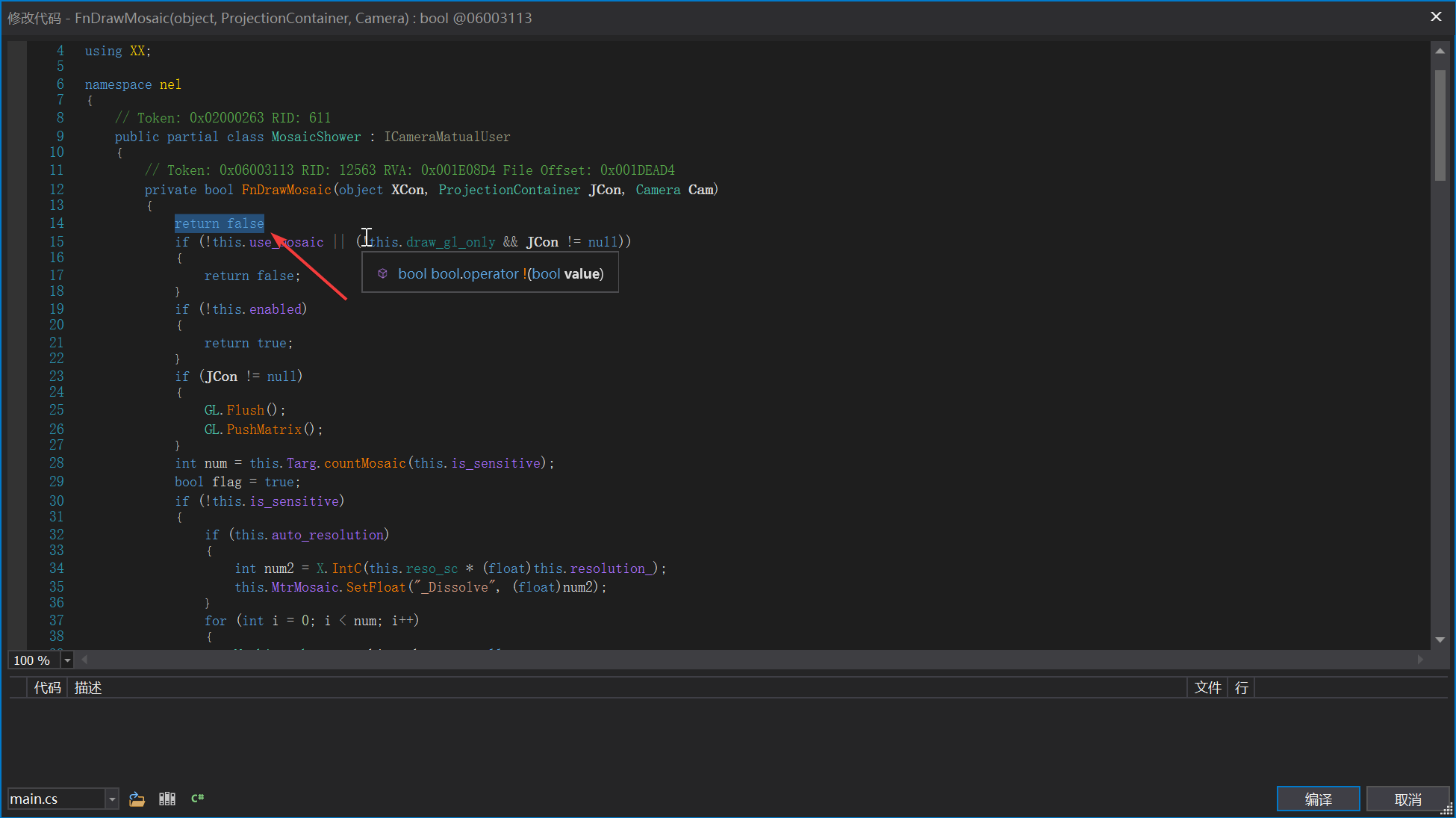
Add return false; to the first line of the core mosaic drawing method FnDrawMosaic, so that it cannot draw the mosaic.
Decompiling
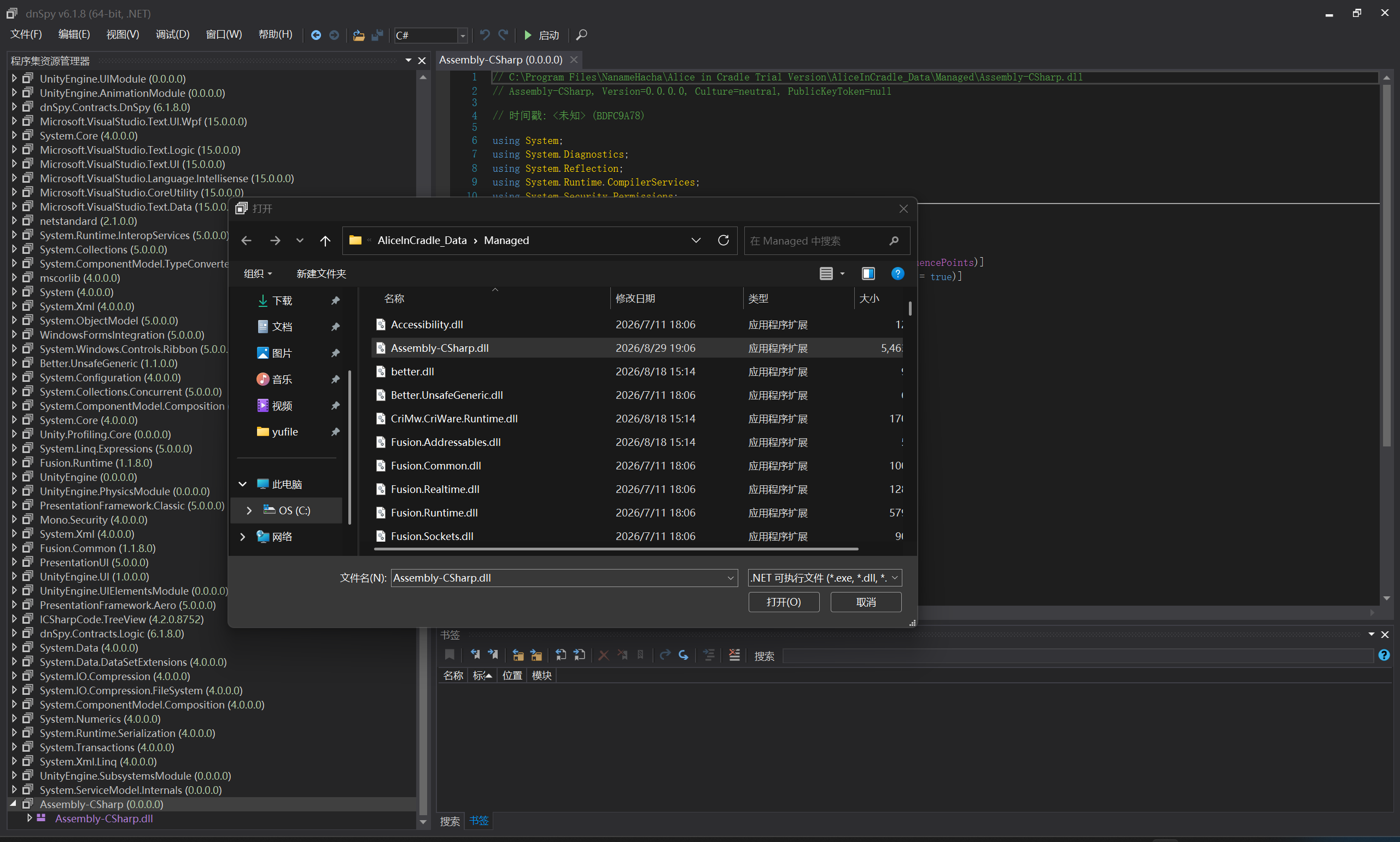
Open the dnspy tool. Click "File" -> "Open", and select the {AIC installation directory}/AliceInCradle_Data/Managed/Assembly-CSharp.dll file.
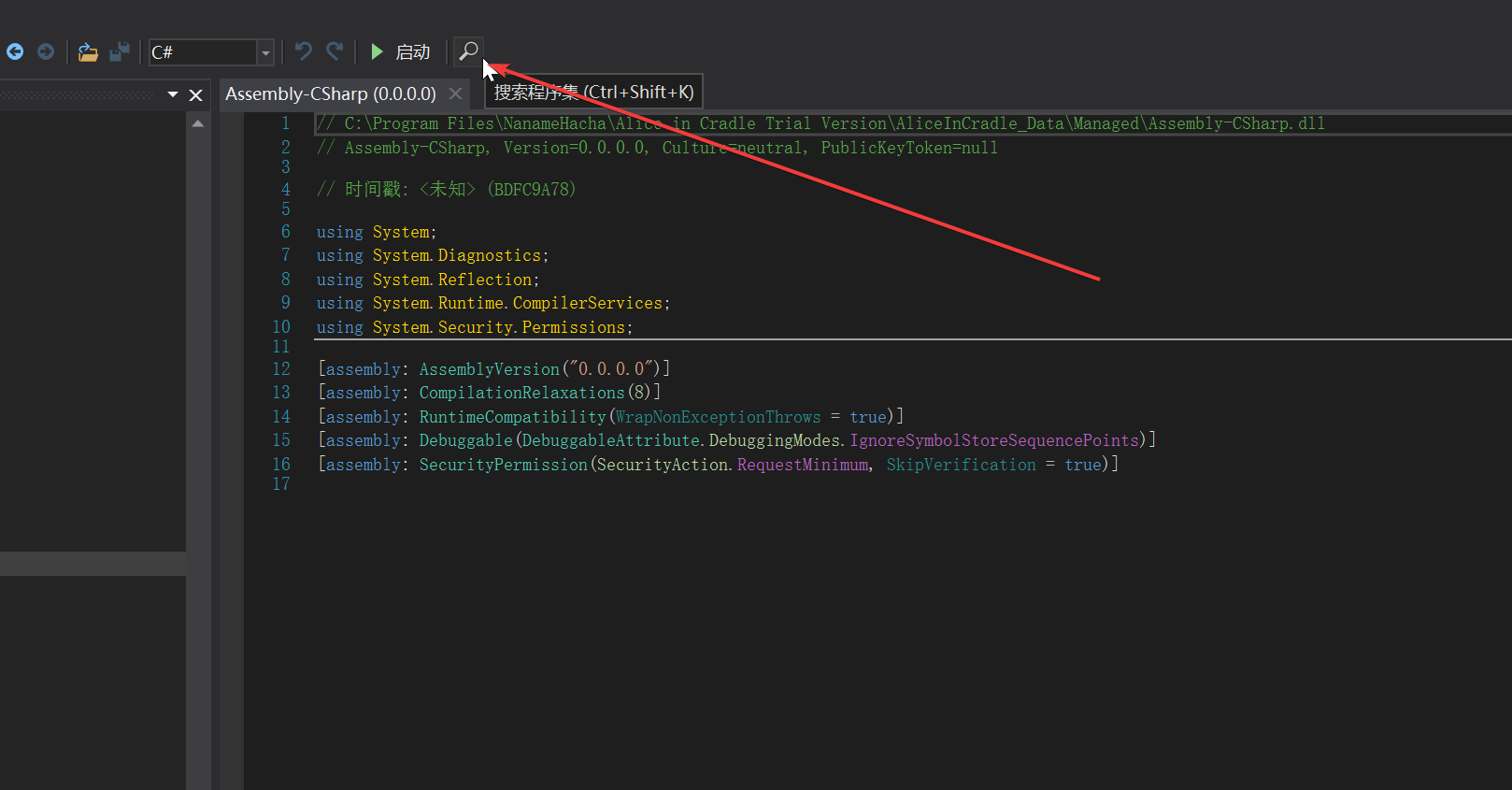
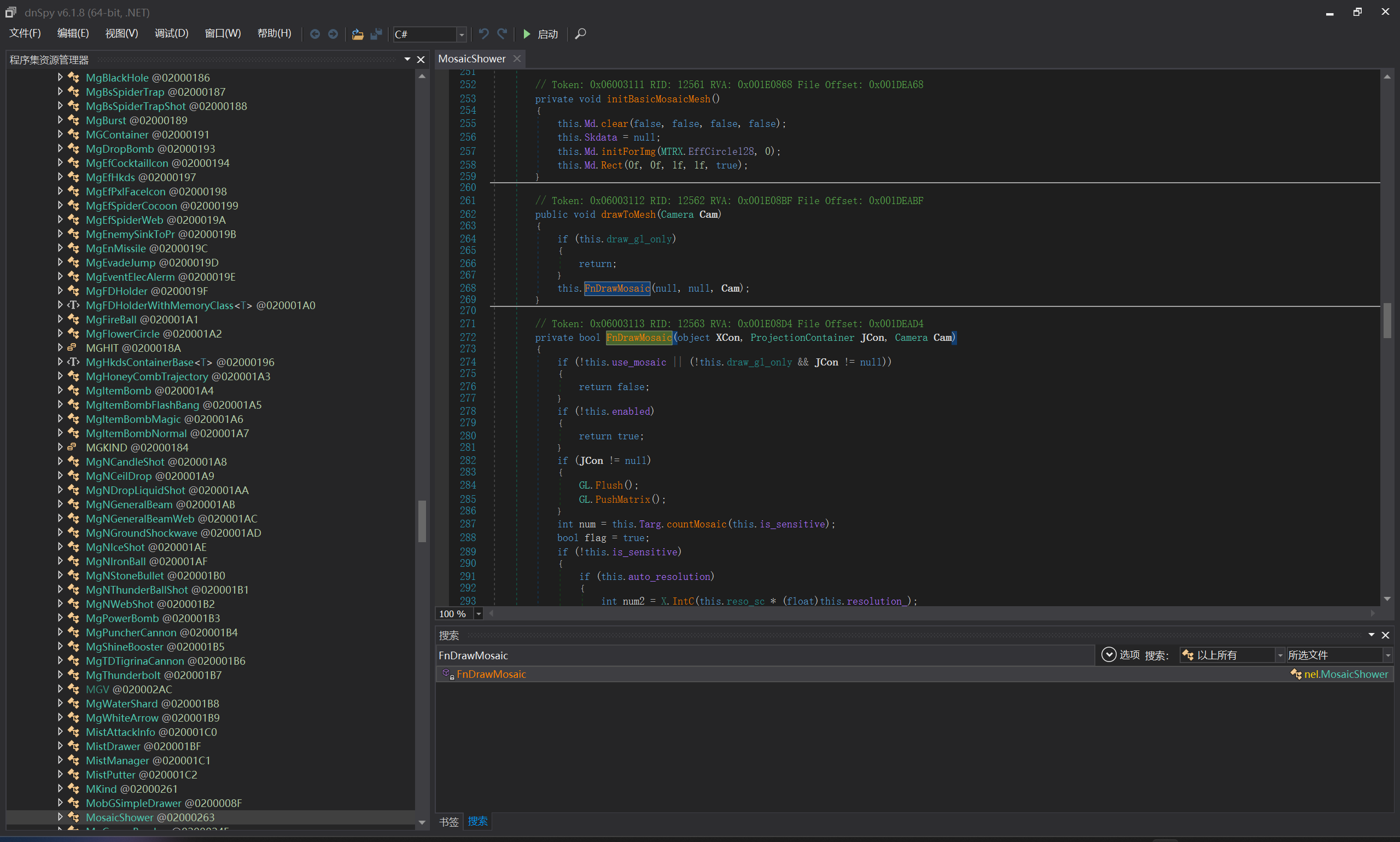
Open Search Assemblies, search for FnDrawMosaic, and double-click the search result to jump to the reference location.
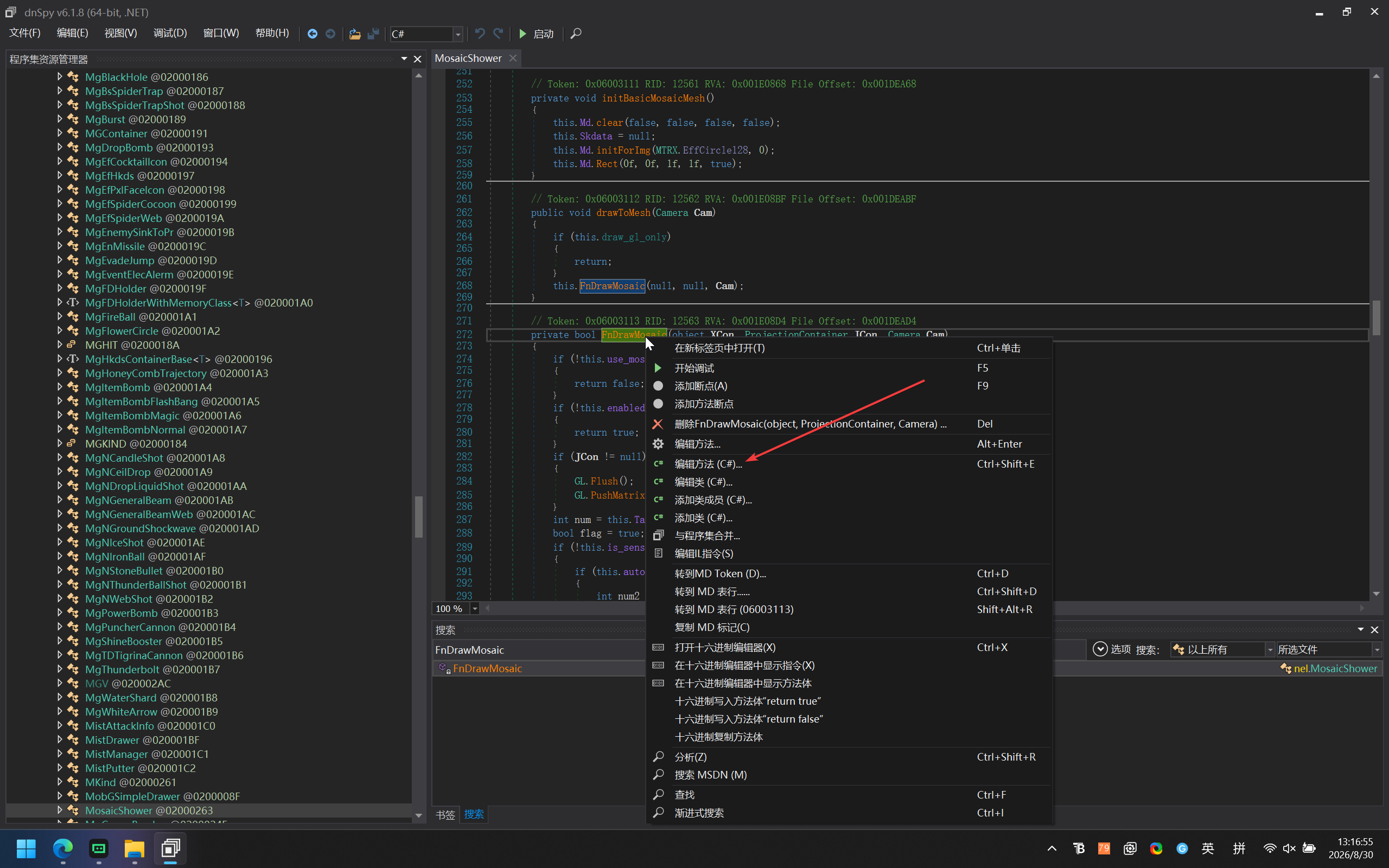
Right-click the yellow FnDrawMosaic method, and click "Edit Method" in the context menu.
Add a line return false; at the beginning of the FnDrawMosaic method, and click the compile button.
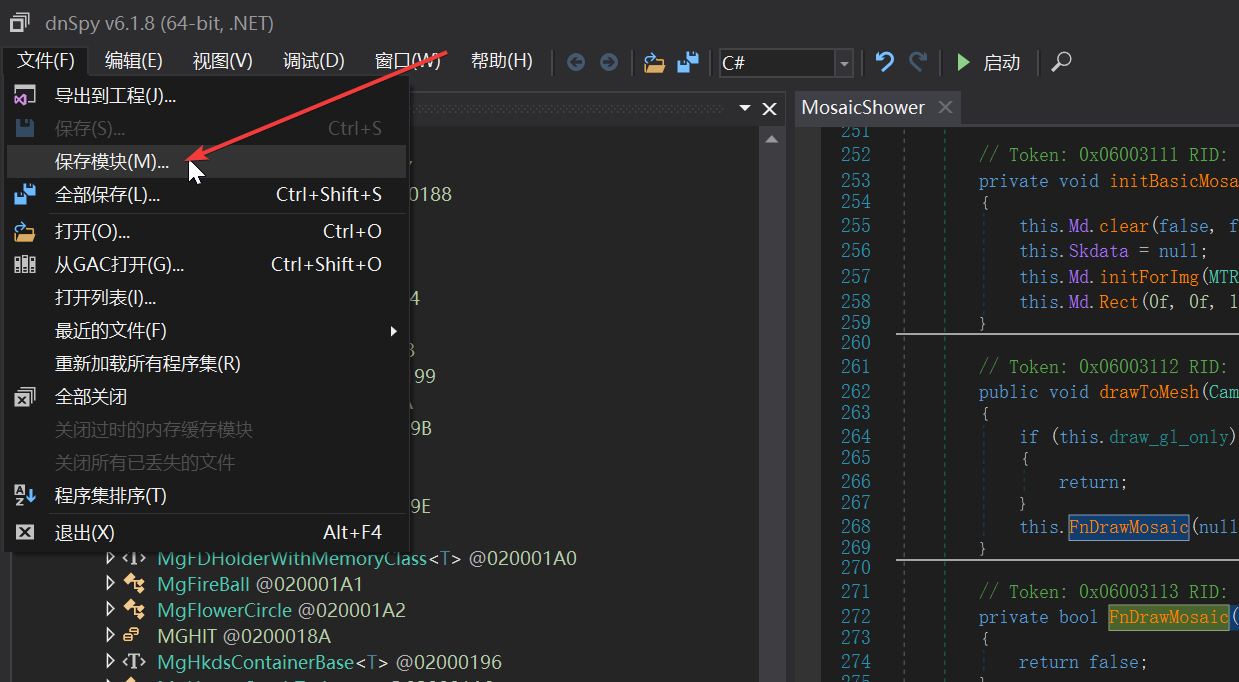
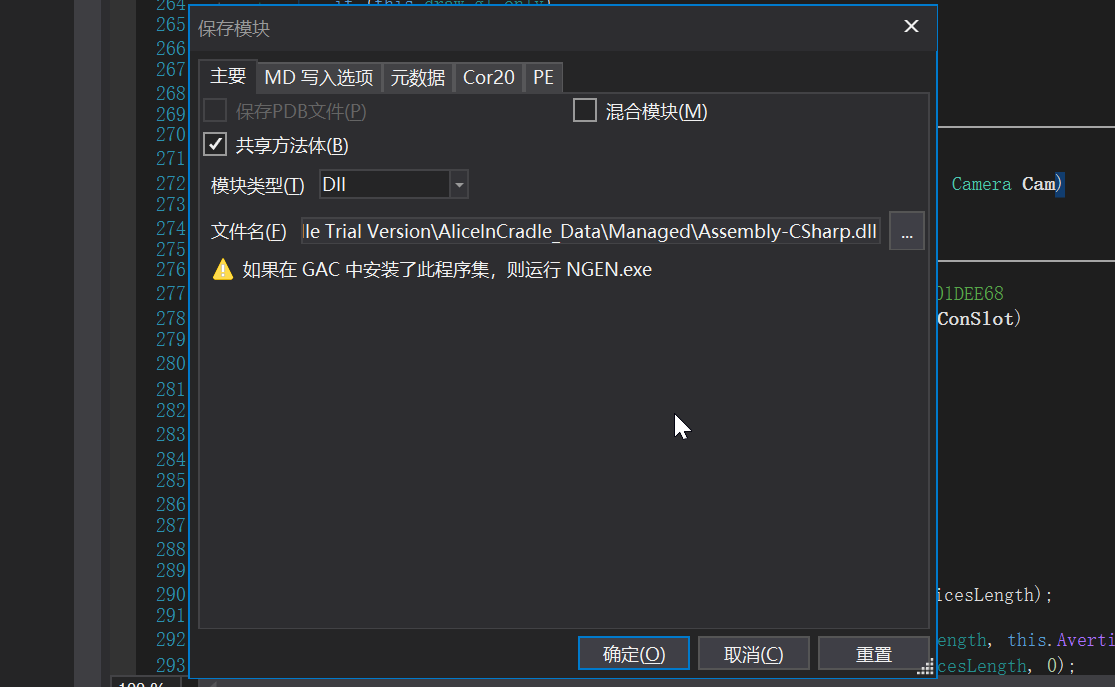
Click "File" -> "Save Module" in the upper left. Click the "Save" button in the new window. The Assembly-CSharp.dll file exported at this point is the decompiled file. Overwrite the {AIC installation directory}/AliceInCradle_Data/Managed/Assembly-CSharp.dll file with it to complete the decompilation and mosaic removal.

If you enjoyed this, leave a comment~